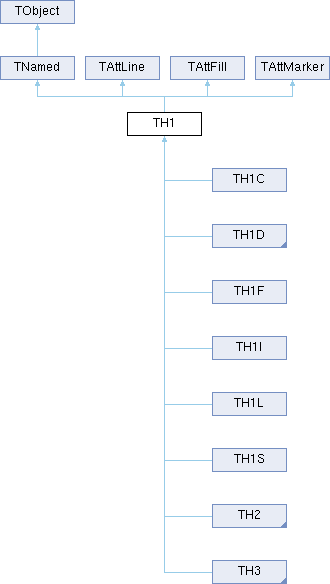
TH1 is the base class of all histogram classes in ROOT.
Python interface
Drawing histograms in Python
Drawing histograms is done via TH1::Draw(). Note that in interactive scripts,TCanvas::Draw() can be made blocking to interactively show it on the screen before continuing execution.
c = ROOT.TCanvas()
h = ROOT.TH1D("h1", "h1", 100, -5, 5)
h.FillRandom("gaus", 10000)
h.Draw("")
c.Draw(block=True)
Fitting histograms in Python
One-dimensional histograms can be fit in Python with a similar syntax as in C++. To fit a 1D histogram to one of the ROOT standard functions (e.g. a Gaussian):
# Create and initialize a test histogram to fit
myTH1D = ROOT.TH1D("th1d", "Histogram for fitting", 200, 0, 10)
myTH1D.FillRandom("gaus", 1000)
# Fit to a ROOT pre-defined Gaussian function "gaus"
myTH1D.Fit("gaus")
The list of standard functions in ROOT can be accessed with the TROOT::GetListOfFunctions. In Python, the standard functions for TF1 can be printed as follows:
ROOT.TF1.InitStandardFunctions()
# Print a list of available functions and their definitions
ROOT.gROOT.GetListOfFunctions().Print()
Accessing results of the fit in Python
To access the results of the fit, run the TH1::Fit method with the "s" option (please see the TH1::Fit(TF1*, Option_t*, Option_t*, Double_t, Double_t) documentation for a list of possible options). This will return a TFitResult which can be examined with the corresponding TFitResult methods, with the same names in Python as in C++.
For example:
# Re-using the TH1D defined in the earlier example code
myResult = myTH1D.Fit("gaus", "s")
# Get the fitted parameters as a vector
myResult.Parameters()
# Get the error of the first parameter
myResult.ParError(0)
Fitting to user-defined functions in Python
1D histograms can also be fit to any user-defined function expressed as a TF1 (see the TF1 documentation for examples on how to do this).
For example, a TF1 can be defined and initialized with its ROOT constructor:
# Define the function, e.g. a polynomial with two parameters: y(x) = a * x^b
# Create a 1D histogram and initialize it with the built-in ROOT Gaussian "gaus"
myTH1D = ROOT.TH1D("th1d", "Test", 200, -5, 5)
myTH1D.FillRandom("gaus", 1000)
# Fit the 1D histogram to our custom Python function
myTH1D.Fit("myFunction")
Pythonizations
The TH1 class has several additions for its use from Python, which are also available in its subclasses (e.g., TH1F, TH1D).
In-Place Multiplication
TH1 instances support in-place multiplication with a scalar value using the *= operator:
import ROOT
h = ROOT.TH1D("h", "h", 100, -10, 10)
h.FillRandom("gaus", 1000)
# Multiply histogram contents by 2
h *= 2
This operation is equivalent to calling h.Scale(2).
Filling with NumPy Arrays
The Fill method has been pythonized to accept NumPy arrays as input. This allows for efficient filling of histograms with large datasets:
import ROOT
import numpy as np
# Create a histogram
h = ROOT.TH1D("h", "h", 100, -10, 10)
# Create sample data
data = np.random.normal(0, 2, 10000)
# Fill histogram with data
h.Fill(data)
# Fill with weights
weights = np.ones_like(data) * 0.5
h.Fill(data, weights)
The Fill method accepts the following arguments when used with NumPy arrays:
First argument: NumPy array containing the data to fill
Second argument (optional): NumPy array containing the weights for each entry
Please note that when providing weights, the length of the weights array must match the length of the data array. If weights are not provided, all entries will have a weight of 1. A ValueError will be raised if the lengths don't match:
TH1C : histograms with one byte per channel. Maximum bin content = 127
TH1S : histograms with one short per channel. Maximum bin content = 32767
TH1I : histograms with one int per channel. Maximum bin content = INT_MAX (*)
TH1L : histograms with one long64 per channel. Maximum bin content = LLONG_MAX (**)
TH1F : histograms with one float per channel. Maximum precision 7 digits, maximum integer bin content = +/-16777216 (***)
TH1D : histograms with one double per channel. Maximum precision 14 digits, maximum integer bin content = +/-9007199254740992 (****)
2-D histograms:
TH2C : histograms with one byte per channel. Maximum bin content = 127
TH2S : histograms with one short per channel. Maximum bin content = 32767
TH2I : histograms with one int per channel. Maximum bin content = INT_MAX (*)
TH2L : histograms with one long64 per channel. Maximum bin content = LLONG_MAX (**)
TH2F : histograms with one float per channel. Maximum precision 7 digits, maximum integer bin content = +/-16777216 (***)
TH2D : histograms with one double per channel. Maximum precision 14 digits, maximum integer bin content = +/-9007199254740992 (****)
3-D histograms:
TH3C : histograms with one byte per channel. Maximum bin content = 127
TH3S : histograms with one short per channel. Maximum bin content = 32767
TH3I : histograms with one int per channel. Maximum bin content = INT_MAX (*)
TH3L : histograms with one long64 per channel. Maximum bin content = LLONG_MAX (**)
TH3F : histograms with one float per channel. Maximum precision 7 digits, maximum integer bin content = +/-16777216 (***)
TH3D : histograms with one double per channel. Maximum precision 14 digits, maximum integer bin content = +/-9007199254740992 (****)
Profile histograms: See classes TProfile, TProfile2D and TProfile3D. Profile histograms are used to display the mean value of Y and its standard deviation for each bin in X. Profile histograms are in many cases an elegant replacement of two-dimensional histograms : the inter-relation of two measured quantities X and Y can always be visualized by a two-dimensional histogram or scatter-plot; If Y is an unknown (but single-valued) approximate function of X, this function is displayed by a profile histogram with much better precision than by a scatter-plot.
making a projection from a 2-D or 3-D histogram, see below
reading a histogram from a file
When a histogram is created in ROOT 6, a reference to it is automatically added to the list of in-memory objects for the current file or directory. Then the pointer to this histogram in the current directory can be found by its name, doing:
When the histogram is deleted, the reference to it is removed from the list of objects in memory. When a file is closed, all histograms in memory associated with this file are automatically deleted.
In ROOT 7, this auto registration will be phased out. This mode can be tested in ROOT 6 using ROOT::Experimental::DisableObjectAutoRegistration(). To opt in to the ROOT-6-style registration in ROOT 7, use ROOT::Experimental::EnableObjectAutoRegistration().
Labelling axes
Axis titles can be specified in the title argument of the constructor. They must be separated by ";":
All histogram types support either fix or variable bin sizes. 2-D histograms may have fix size bins along X and variable size bins along Y or vice-versa. The functions to fill, manipulate, draw or access histograms are identical in both cases.
Each histogram always contains 3 axis objects of type TAxis: fXaxis, fYaxis and fZaxis. To access the axis parameters, use:
returns a global/linearized gbin number. This global gbin is useful to access the bin content/error information independently of the dimension. Note that to access the information other than bin content and errors one should use the TAxis object directly with e.g.:
returns the center along z of bin number 27 (not the global bin) in the 3-D histogram h3.
Alphanumeric Bin Labels
By default, a histogram axis is drawn with its numeric bin labels. One can specify alphanumeric labels instead with:
call TAxis::SetBinLabel(bin, label); This can always be done before or after filling. When the histogram is drawn, bin labels will be automatically drawn. See examples labels1.C and labels2.C
call to a Fill function with one of the arguments being a string, e.g.
where "Nation" and "Division" are two branches of a Tree.
When using the options 2 or 3 above, the labels are automatically added to the list (THashList) of labels for a given axis. By default, an axis is drawn with the order of bins corresponding to the filling sequence. It is possible to reorder the axis
alphabetically
by increasing or decreasing values
The reordering can be triggered via the TAxis context menu by selecting the menu item "LabelsOption" or by calling directly TH1::LabelsOption(option, axis) where
axis may be "X", "Y" or "Z"
option may be:
"a" sort by alphabetic order
">" sort by decreasing values
"<" sort by increasing values
"h" draw labels horizontal
"v" draw labels vertical
"u" draw labels up (end of label right adjusted)
"d" draw labels down (start of label left adjusted)
When using the option 2 above, new labels are added by doubling the current number of bins in case one label does not exist yet. When the Filling is terminated, it is possible to trim the number of bins to match the number of active labels by calling
This operation is automatic when using TTree::Draw. Once bin labels have been created, they become persistent if the histogram is written to a file or when generating the C++ code via SavePrimitive.
Histograms with automatic bins
When a histogram is created with an axis lower limit greater or equal to its upper limit, the SetBuffer is automatically called with an argument fBufferSize equal to fgBufferSize (default value=1000). fgBufferSize may be reset via the static function TH1::SetDefaultBufferSize. The axis limits will be automatically computed when the buffer will be full or when the function BufferEmpty is called.
Rebinning
At any time, a histogram can be rebinned via TH1::Rebin. This function returns a new histogram with the rebinned contents. If bin errors were stored, they are recomputed during the rebinning.
Filling histograms
A histogram is typically filled with statements like:
or via one of the Fill functions accepting names described above. The Fill functions compute the bin number corresponding to the given x, y or z argument and increment this bin by the given weight. The Fill functions return the bin number for 1-D histograms or global bin number for 2-D and 3-D histograms. If TH1::Sumw2 has been called before filling, the sum of squares of weights is also stored. One can also increment directly a bin number via TH1::AddBinContent or replace the existing content via TH1::SetBinContent. Passing an out-of-range bin to TH1::AddBinContent leads to undefined behavior. To access the bin content of a given bin, do:
then, the Fill Function will automatically extend the axis range to accommodate the new value specified in the Fill argument. The method used is to double the bin size until the new value fits in the range, merging bins two by two. This automatic binning options is extensively used by the TTree::Draw function when histogramming Tree variables with an unknown range. This automatic binning option is supported for 1-D, 2-D and 3-D histograms.
During filling, some statistics parameters are incremented to compute the mean value and Root Mean Square with the maximum precision.
In case of histograms of type TH1C, TH1S, TH2C, TH2S, TH3C, TH3S a check is made that the bin contents do not exceed the maximum positive capacity (127 or 32767). Histograms of all types may have positive or/and negative bin contents.
Associated errors
By default, for each bin, the sum of weights is computed at fill time. One can also call TH1::Sumw2 to force the storage and computation of the sum of the square of weights per bin. If Sumw2 has been called, the error per bin is computed as the sqrt(sum of squares of weights), otherwise the error is set equal to the sqrt(bin content). To return the error for a given bin number, do:
One or more objects (typically a TF1*) can be added to the list of functions (fFunctions) associated to each histogram. When TH1::Fit is invoked, the fitted function is added to this list. Given a histogram (or TGraph) h, one can retrieve an associated function with:
Many types of operations are supported on histograms or between histograms
Addition of a histogram to the current histogram.
Additions of two histograms with coefficients and storage into the current histogram.
Multiplications and Divisions are supported in the same way as additions.
The Add, Divide and Multiply functions also exist to add, divide or multiply a histogram by a function.
If a histogram has associated error bars (TH1::Sumw2 has been called), the resulting error bars are also computed assuming independent histograms. In case of divisions, Binomial errors are also supported. One can mark a histogram to be an "average" histogram by setting its bit kIsAverage via myhist.SetBit(TH1::kIsAverage); When adding (see TH1::Add) average histograms, the histograms are averaged and not summed.
Projections of histograms
One can:
make a 1-D projection of a 2-D histogram or Profile see functions TH2::ProjectionX,Y, TH2::ProfileX,Y, TProfile::ProjectionX
make a 1-D, 2-D or profile out of a 3-D histogram see functions TH3::ProjectionZ, TH3::Project3D.
TH1::FillRandom can be used to randomly fill a histogram using the contents of an existing TF1 function or another TH1 histogram (for all dimensions). For example, the following two statements create and fill a histogram 10000 times with a default gaussian distribution of mean 0 and sigma 1:
TH1Fh1("h1", "histo from a gaussian", 100, -3, 3);
TH1::GetRandom can be used to return a random number distributed according to the contents of a histogram.
Making a copy of a histogram
Like for any other ROOT object derived from TObject, one can use the Clone() function. This makes an identical copy of the original histogram including all associated errors and functions, e.g.:
One can scale a histogram such that the bins integral is equal to the normalization parameter via TH1::Scale(Double_t norm), where norm is the desired normalization divided by the integral of the histogram.
Drawing histograms
Histograms are drawn via the THistPainter class. Each histogram has a pointer to its own painter (to be usable in a multithreaded program). Many drawing options are supported. See THistPainter::Paint() for more details.
The same histogram can be drawn with different options in different pads. When a histogram drawn in a pad is deleted, the histogram is automatically removed from all pads where it was drawn. If a histogram is drawn in a pad, then modified, the new status of the histogram will be automatically shown in the pad next time the pad is updated. One does not need to redraw the histogram. To draw the current version of a histogram in a pad, one can use
One can use TH1::SetMaximum() and TH1::SetMinimum() to force a particular value for the maximum or the minimum scale on the plot. (For 1-D histograms this means the y-axis, while for 2-D histograms these functions affect the z-axis).
TH1::UseCurrentStyle() can be used to change all histogram graphics attributes to correspond to the current selected style. This function must be called for each histogram. In case one reads and draws many histograms from a file, one can force the histograms to inherit automatically the current graphics style by calling before gROOT->ForceStyle().
By default contours are automatically generated at equidistant intervals. A default value of 20 levels is used. This can be modified via TH1::SetContour() or TH1::SetContourLevel(). the contours level info is used by the drawing options "cont", "surf", and "lego".
Setting histogram graphics attributes
The histogram classes inherit from the attribute classes: TAttLine, TAttFill, and TAttMarker. See the member functions of these classes for the list of options.
Customizing how axes are drawn
Use the functions of TAxis, such as
histogram.GetXaxis()->SetTicks("+");
histogram.GetYaxis()->SetRangeUser(1., 5.);
Fitting histograms
Histograms (1-D, 2-D, 3-D and Profiles) can be fitted with a user specified function or a pre-defined function via TH1::Fit. See TH1::Fit(TF1*, Option_t *, Option_t *, Double_t, Double_t) for the fitting documentation and the possible fitting options
The following statements create a ROOT file and store a histogram on the file. Because TH1 derives from TNamed, the key identifier on the file is the histogram name:
IMPORTANT NOTE: The returned values for GetMean and GetStdDev depend on how the histogram statistics are calculated. By default, if no range has been set, the returned values are the (unbinned) ones calculated at fill time. If a range has been set, however, the values are calculated using the bins in range; THIS IS TRUE EVEN IF THE RANGE INCLUDES ALL BINS–use TAxis::SetRange(0, 0) to unset the range. To ensure that the returned values are always those of the binned data stored in the histogram, call TH1::ResetStats. See TH1::GetStats.
Call this function within a function that you don't want to define as purely virtual, in order not to force all users deriving from that class to implement that maybe (on their side) unused function; but at the same time, emit a run-time warning if they try to call it, telling that it is not implemented in the derived class: action must thus be taken on the user side to override it.
Use this method to signal that a method (defined in a base class) may not be called in a derived class (in principle against good design since a child class should not provide less functionality than its parent, however, sometimes it is necessary).
Used to request that the class specific implementation of TObject::Write just prepare the objects to be ready to be written but do not actually write them into the TBuffer.
This is just for example by TBufferMerger to request that the TTree inside the file calls TTree::FlushBaskets (outside of the merging lock) and TBufferMerger will later ask for the write (inside the merging lock). To take advantage of this feature the class needs to overload TObject::Write and use this enum value accordingly. (See TTree::Write and TObject::Write) Do not use, this feature will be migrate to the Merge function (See TClass and TTree::Merge)
histogram title. If title is of the form stringt;stringx;stringy;stringz, the histogram title is set to stringt, the x axis title to stringx, the y axis title to stringy, etc.
[in]
nbins
number of bins
[in]
xlow
low edge of first bin
[in]
xup
upper edge of last bin (not included in last bin)
Note
if xup <= xlow, automatic bins are calculated when buffer size is reached
Constructor for variable bin size histograms using an input array of type float.
Creates the main histogram structure.
Parameters
[in]
name
name of histogram (avoid blanks)
[in]
title
histogram title. If title is of the form stringt;stringx;stringy;stringz the histogram title is set to stringt, the x axis title to stringx, the y axis title to stringy, etc.
[in]
nbins
number of bins
[in]
xbins
array of low-edges for each bin. This is an array of type float and size nbins+1
Constructor for variable bin size histograms using an input array of type double.
Parameters
[in]
name
name of histogram (avoid blanks)
[in]
title
histogram title. If title is of the form stringt;stringx;stringy;stringz the histogram title is set to stringt, the x axis title to stringx, the y axis title to stringy, etc.
[in]
nbins
number of bins
[in]
xbins
array of low-edges for each bin. This is an array of type double and size nbins+1
Call this function within a function that you don't want to define as purely virtual, in order not to force all users deriving from that class to implement that maybe (on their side) unused function; but at the same time, emit a run-time warning if they try to call it, telling that it is not implemented in the derived class: action must thus be taken on the user side to override it.
In other word, this method acts as a "runtime purely virtual" warning instead of a "compiler purely virtual" error.
Warning
This interface is a legacy function that is no longer recommended to be used by new development code.
Note
The name "AbstractMethod" does not imply that it's an abstract method in the strict C++ sense.
Replace contents of this histogram by the addition of h1 and h2.
this = c1*h1 + c2*h2 if errors are defined (see TH1::Sumw2), errors are also recalculated
Note that if h1 or h2 have Sumw2 set, Sumw2 is automatically called for this if not already set.
Note also that adding histogram with labels is not supported, histogram will be added merging them by bin number independently of the labels. For adding histogram ith labels one should use TH1::Merge
SPECIAL CASE (Average/Efficiency histograms) For histograms representing averages or efficiencies, one should compute the average of the two histograms and not the sum. One can mark a histogram to be an average histogram by setting its bit kIsAverage with myhist.SetBit(TH1::kIsAverage); Note that the two histograms must have their kIsAverage bit set
IMPORTANT NOTE: If you intend to use the errors of this histogram later you should call Sumw2 before making this operation. This is particularly important if you fit the histogram after TH1::Add
IMPORTANT NOTE2: You should be careful about the statistics of the returned histogram, whose statistics may be binned or unbinned, depending on whether c1 is negative, whether TAxis::kAxisRange is true, and whether TH1::ResetStats has been called on either this or h1. See TH1::GetStats.
ANOTHER SPECIAL CASE : h1 = h2 and c2 < 0 do a scaling this = c1 * h1 / (bin Volume)
The function returns kFALSE if the Add operation failed
Performs the operation: this = this + c1*h1 If errors are defined (see TH1::Sumw2), errors are also recalculated.
Note that if h1 has Sumw2 set, Sumw2 is automatically called for this if not already set.
Note also that adding histogram with labels is not supported, histogram will be added merging them by bin number independently of the labels. For adding histogram with labels one should use TH1::Merge
SPECIAL CASE (Average/Efficiency histograms) For histograms representing averages or efficiencies, one should compute the average of the two histograms and not the sum. One can mark a histogram to be an average histogram by setting its bit kIsAverage with myhist.SetBit(TH1::kIsAverage); Note that the two histograms must have their kIsAverage bit set
IMPORTANT NOTE1: If you intend to use the errors of this histogram later you should call Sumw2 before making this operation. This is particularly important if you fit the histogram after TH1::Add
IMPORTANT NOTE2: if h1 has a normalisation factor, the normalisation factor is used , ie this = this + c1*factor*h1 Use the other TH1::Add function if you do not want this feature
IMPORTANT NOTE3: You should be careful about the statistics of the returned histogram, whose statistics may be binned or unbinned, depending on whether c1 is negative, whether TAxis::kAxisRange is true, and whether TH1::ResetStats has been called on either this or h1. See TH1::GetStats.
The function return kFALSE if the Add operation failed
Performs the operation: this = this + c1*f1 if errors are defined (see TH1::Sumw2), errors are also recalculated.
By default, the function is computed at the centre of the bin. if option "I" is specified (1-d histogram only), the integral of the function in each bin is used instead of the value of the function at the centre of the bin.
Only bins inside the function range are recomputed.
IMPORTANT NOTE: If you intend to use the errors of this histogram later you should call Sumw2 before making this operation. This is particularly important if you fit the histogram after TH1::Add
The function return kFALSE if the Add operation failed
Sets the flag controlling the automatic add of histograms in memory.
By default (fAddDirectory = kTRUE), histograms are automatically added to the current directory (gDirectory). Note that one histogram can be removed from its support directory by calling h->SetDirectory(nullptr) or h->SetDirectory(dir) to add it to the list of objects in the directory dir.
This is a static function. To call it, use TH1::AddDirectory
Use ROOT::Experimental::ObjectAutoRegistrationEnabled(). It can be set using an entry in rootrc or an environment variable, is initialised in a thread-safe manner and covers more cases.
Check whether TH1-derived classes should register themselves to the current gDirectory.
Note
Even if this returns true, the state of ROOT::Experimental::ObjectAutoRegistrationEnabled() might prevent the registration of histograms, since it has higher precedence.
action = -1 histogram is reset and refilled from the buffer (called by THistPainter::Paint)
action = 0 histogram is reset and filled from the buffer. When the histogram is filled from the buffer the value fBuffer[0] is set to a negative number (= - number of entries) When calling with action == 0 the histogram is NOT refilled when fBuffer[0] is < 0 While when calling with action = -1 the histogram is reset and ALWAYS refilled independently if the histogram was filled before. This is needed when drawing the histogram
action = 1 histogram is filled and buffer is deleted The buffer is automatically deleted when filling the histogram and the entries is larger than the buffer size
Check and record whether this class has a consistent Hash/RecursiveRemove setup (*) and then return the regular Hash value for this object.
The intent is for this routine to be called instead of directly calling the function Hash during "insert" operations. See TObject::HasInconsistenTObjectHash();
(*) The setup is consistent when all classes in the class hierarchy that overload TObject::Hash do call ROOT::CallRecursiveRemoveIfNeeded in their destructor. i.e. it is safe to call the Hash virtual function during the RecursiveRemove operation.
Make a clone of an object using the Streamer facility.
If the object derives from TNamed, this function is called by TNamed::Clone. TNamed::Clone uses the optional argument to set a new name to the newly created object.
If the object class has a DirectoryAutoAdd function, it will be called at the end of the function with the parameter gDirectory. This usually means that the object will be appended to the current ROOT directory.
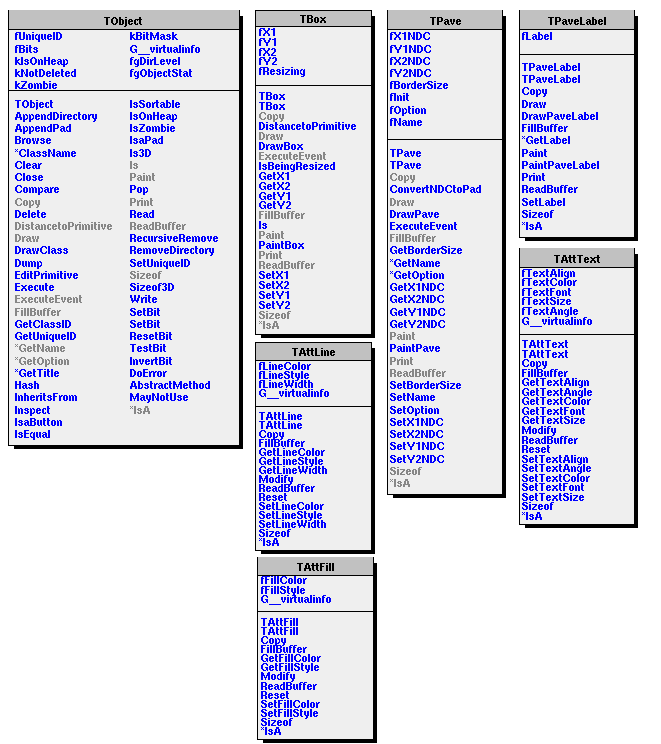
Draw class inheritance tree of the class to which this object belongs.
If a class B inherits from a class A, description of B is drawn on the right side of description of A. Member functions overridden by B are shown in class A with a blue line crossing-out the corresponding member function. The following picture is the class inheritance tree of class TPaveLabel:
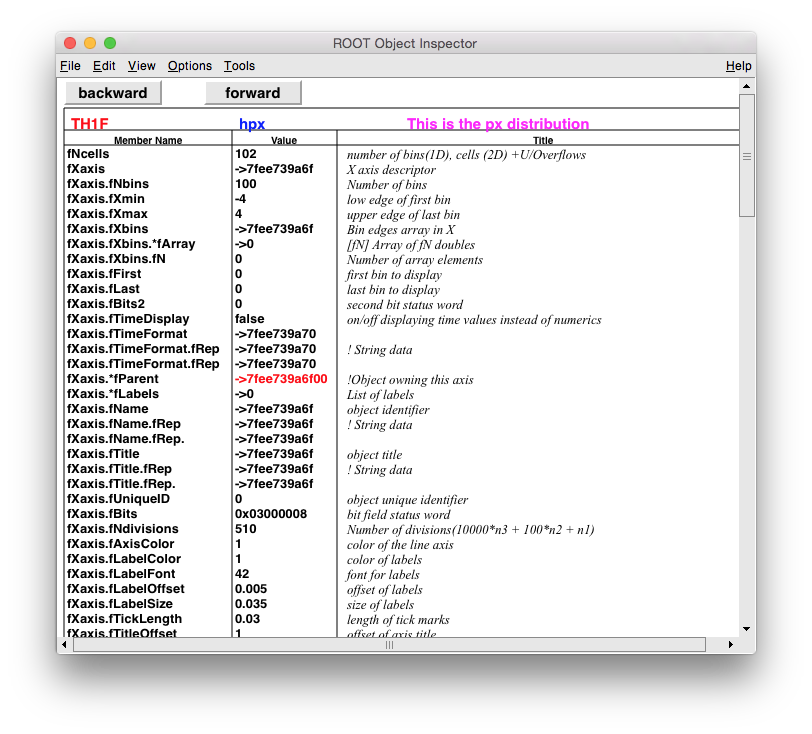
Using the information in the object dictionary (class TClass) each data member is interpreted. If a data member is a pointer, the pointer value is printed
The following output is the Dump of a TArrow object:
Returns string containing info about the object at position (px,py).
This method is typically overridden by classes of which the objects can report peculiarities for different positions. Returned string will be re-used (lock in MT environment).
This function returns the Standard Deviation (Sigma) of the distribution not the Root Mean Square (RMS).
The name "RMS" is been often used as a synonym for the Standard Deviation and it was introduced many years ago (Hbook/PAW times). We keep the name GetRMS for continuity as an alias to GetStdDev. GetStdDev() should be used instead.
Otherwise, when RecursiveRemove is called (by ~TObject or example) for this type of object, the transversal of THashList and THashTable containers will will have to be done without call Hash (and hence be linear rather than logarithmic complexity). You will also see warnings like
Error in <ROOT::Internal::TCheckHashRecursiveRemoveConsistency::CheckRecursiveRemove>: The class SomeName overrides
Return true is the type of this object is known to have an inconsistent setup for Hash and RecursiveRemove (i.e.
missing call to RecursiveRemove in destructor).
Note: Since the consistency is only tested for during inserts, this routine will return true for object that have never been inserted whether or not they have a consistent setup. This has no negative side-effect as searching for the object with the right or wrong Hash will always yield a not-found answer (Since anyway no hash can be guaranteed unique, there is always a check)
This function must be non-virtual as it can be used on destructed (but not yet modified) memory. This is used for example in TClonesArray to record the element that have been destructed but not deleted and thus are ready for re-use (by operator new with placement).
Use this method to signal that a method (defined in a base class) may not be called in a derived class (in principle against good design since a child class should not provide less functionality than its parent, however, sometimes it is necessary).
This method must be overridden to handle object notification (the base implementation is no-op).
Different objects in ROOT use the Notify method for different purposes, in coordination with other objects that call this method at the appropriate time.
For example, TLeaf uses it to load class information; TBranchRef to load contents of referenced branches TBranchRef; most notably, based on Notify, TChain implements a callback mechanism to inform interested parties when it switches to a new sub-tree.
This method must be overridden if a class wants to paint itself.
The difference between Paint() and Draw() is that when a object draws itself it is added to the display list of the pad in which it is drawn (and automatically redrawn whenever the pad is redrawn). While paint just draws the object without adding it to the pad display list.
Read contents of object with specified name from the current directory.
First the key with the given name is searched in the current directory, next the key buffer is deserialized into the object. The object must have been created before via the default constructor. See TObject::Write().
Save this object in the file specified by filename.
if "filename" contains ".root" the object is saved in filename as root binary file.
if "filename" contains ".xml" the object is saved in filename as a xml ascii file.
if "filename" contains ".cc" the object is saved in filename as C code independent from ROOT. The code is generated via SavePrimitive(). Specific code should be implemented in each object to handle this option. Like in TF1::SavePrimitive().
otherwise the object is written to filename as a CINT/C++ script. The C++ code to rebuild this object is generated via SavePrimitive(). The "option" parameter is passed to SavePrimitive. By default it is an empty string. It can be used to specify the Draw option in the code generated by SavePrimitive.
The function is available via the object context menu.
Create unique variable name based on prefix value Returns name of vector which can be used in constructor or in other places of C++ code If flag === kTRUE, just add empty line If flag === 111, check if array is empty and return nullptr or <vectorname>.data()
This option only affects the drawing style and is stored in the option field of the TObjOptLink supporting a TPad's primitive list (TList). Note that it does not make sense to call object.SetDrawOption(option) before having called object.Draw().
font : Text font code = 10*fontnumber + precision Font numbers must be between 1 and 14 precision = 1 fast hardware fonts (steps in the size) precision = 2 scalable and rotatable hardware fonts
The default font number is 62. axis specifies which axis ("x","y","z"), default = "x" if axis="xyz" set all 3 axes
Note that the marker styles number 1 6 and 7 (the dots), cannot be scaled. They are meant to be very fast to draw and are always drawn with the same number of pixels; therefore this method does not apply on them.
WARNING: if the object is a member of a THashTable or THashList container the container must be Rehash()'ed after SetName(). For example the list of objects in the current directory is a THashList.
WARNING: if the name is changed and the object is a member of a THashTable or THashList container the container must be Rehash()'ed after SetName(). For example the list of objects in the current directory is a THashList.
 n = N1 + 100*N2 + 10000*N3
 N1=number of primary divisions.
 N2=number of secondary divisions.
 N3=number of 3rd divisions.
     e.g.:
     nndi=0 --> no tick marks.
     nndi=2 --> 2 divisions, one tick mark in the middle
                of the axis.
axis specifies which axis ("x","y","z"), default = "x" if axis="xyz" set all 3 axes
Sets the content of a slice of bins in a histogram.
This function allows setting the content of a slice of bins in a histogram by specifying the edges of the slice and the corresponding values to assign.
Template Parameters
ValueType
The type of the histogram's data.
Parameters
values
A vector of values to assign to the bins in the specified slice.
sliceEdges
A vector of pairs specifying the low and upper edges of the slice for each dimension.
Slices a histogram in place based on the specified bin ranges for each dimension.
This function modifies the histogram by extracting a sub-region defined by the provided bin ranges for each dimension. The resulting histogram will have updated bin counts, edges, and contents. Bin contents outside the range fall into the flow bins. The histogram's internal data array is freed and reallocated by this function. This function is used by the python implementation of the Unified Histogram Interface (UHI) for slicing.
Template Parameters
ValueType
The type of the histogram's data.
Parameters
args
A vector of integers specifying the low and upper edges of the slice for each dimension.
The data structure corresponding to this object is serialized. The corresponding buffer is written to the current directory with an associated key with name "name".
Writing an object to a file involves the following steps:
Creation of a support TKey object in the current directory. The TKey object creates a TBuffer object.
The TBuffer object is filled via the class::Streamer function.
If the file is compressed (default) a second buffer is created to hold the compressed buffer.
Reservation of the corresponding space in the file by looking in the TFree list of free blocks of the file.
The buffer is written to the file.
Bufsize can be given to force a given buffer size to write this object. By default, the buffersize will be taken from the average buffer size of all objects written to the current file so far.
If a name is specified, it will be the name of the key. If name is not given, the name of the key will be the name as returned by GetName().
The option can be a combination of: kSingleKey, kOverwrite or kWriteDelete Using the kOverwrite option a previous key with the same name is overwritten. The previous key is deleted before writing the new object. Using the kWriteDelete option a previous key with the same name is deleted only after the new object has been written. This option is safer than kOverwrite but it is slower. NOTE: Neither kOverwrite nor kWriteDelete reduces the size of a TFile– the space is simply freed up to be overwritten; in the case of a TTree, it is more complicated. If one opens a TTree, appends some entries, then writes it out, the behaviour is effectively the same. If, however, one creates a new TTree and writes it out in this way, only the metadata is replaced, effectively making the old data invisible without deleting it. TTree::Delete() can be used to mark all disk space occupied by a TTree as free before overwriting its metadata this way. The kSingleKey option is only used by TCollection::Write() to write a container with a single key instead of each object in the container with its own key.
An object is read from the file into memory via TKey::Read() or via TObject::Read().
The function returns the total number of bytes written to the file. It returns 0 if the object cannot be written.